Portal reference
This is the authoritative reference for the React portal. It uses the OpenAPI-generated FastAPI client and presents local request evaluation and proposal evidence. It does not execute a cloud lifecycle.
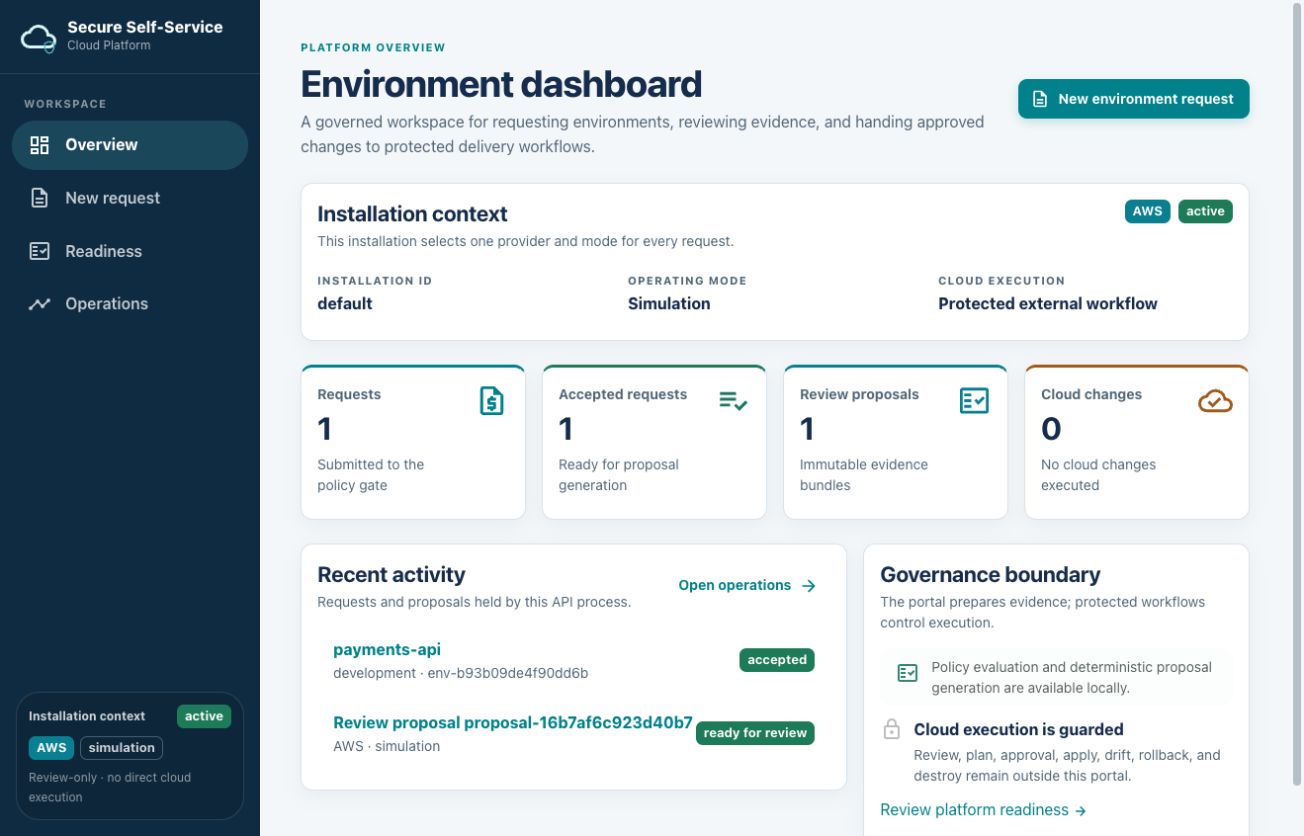
This screenshot shows an AWS simulation with one accepted request, one ready-for-review proposal, and zero cloud changes.
Animated walkthroughs
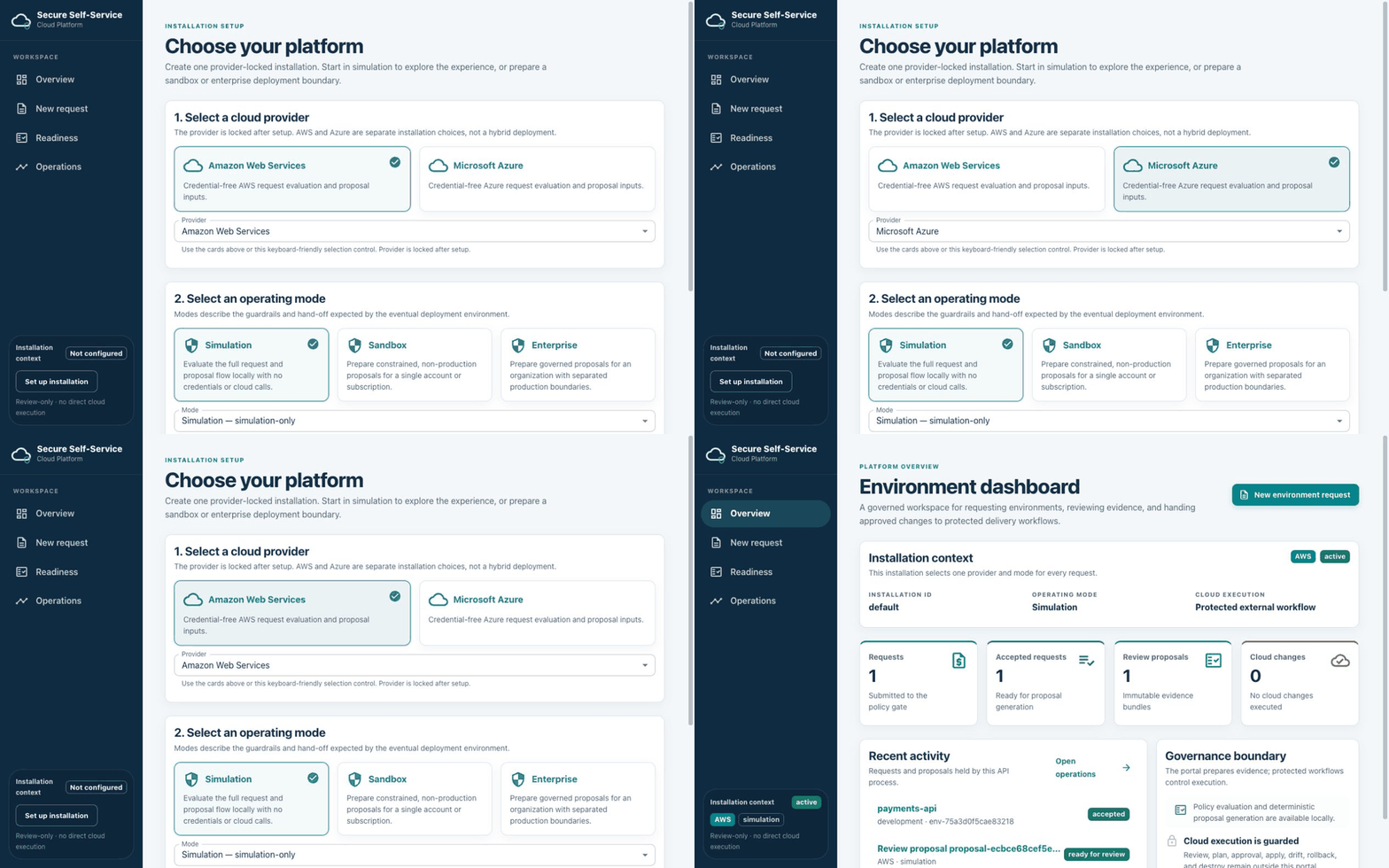
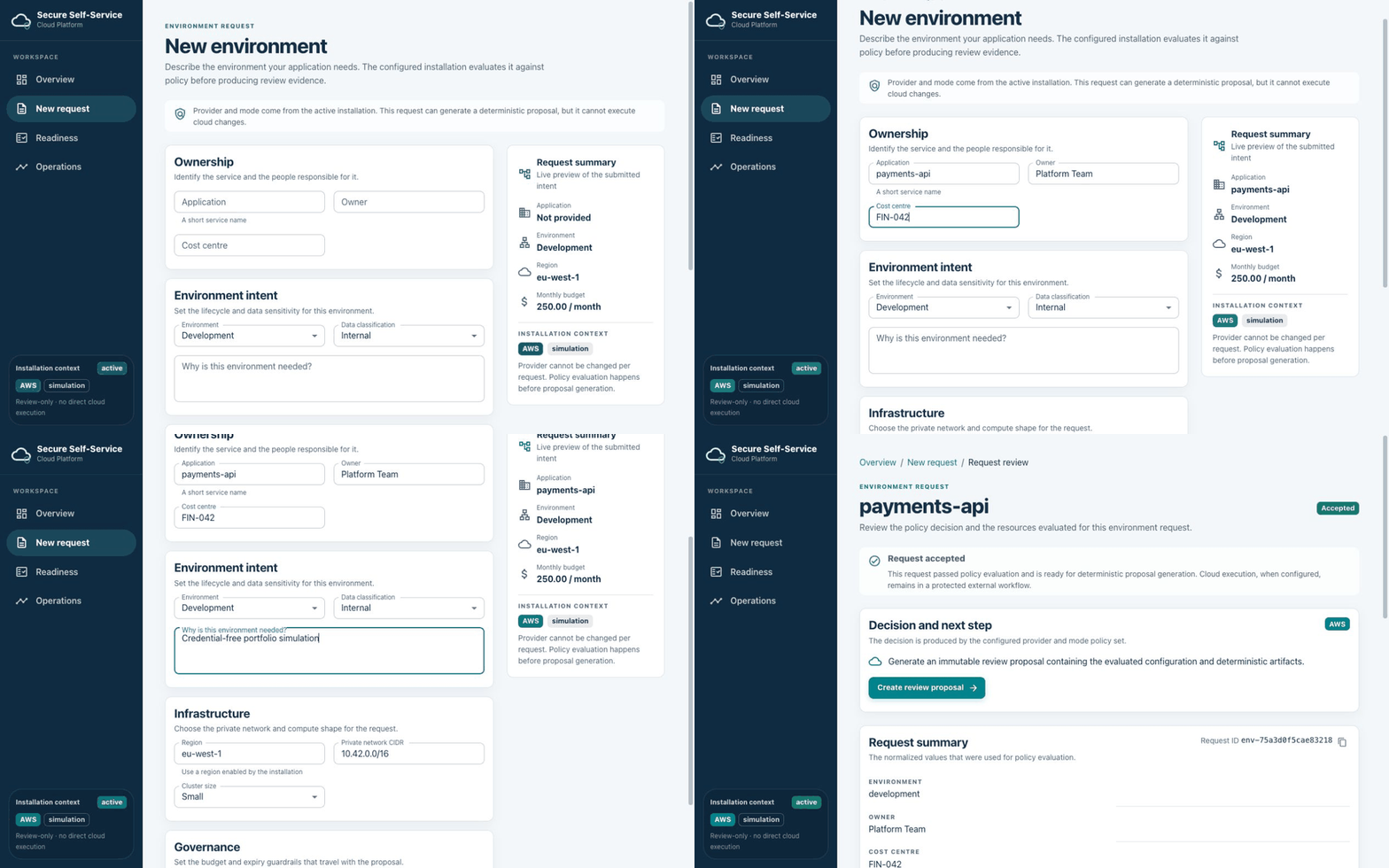
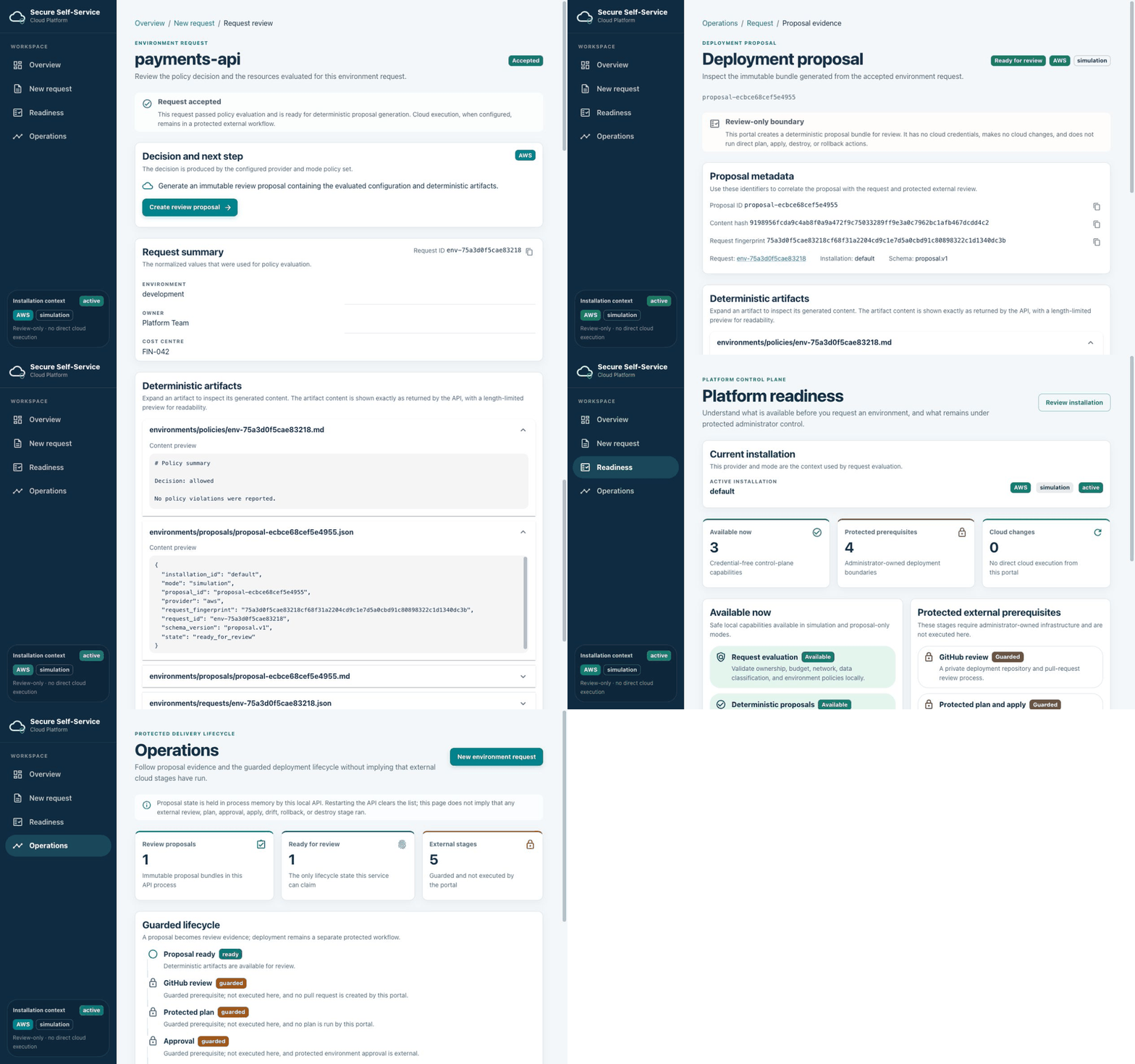
The following recordings demonstrate the main review path using credential-free simulation data. They make no cloud API calls, create no cloud resources, and do not run Terraform or apply infrastructure.
Setup walkthrough
Request review walkthrough
Proposal readiness walkthrough
Shell and navigation
The shell uses a dark Secure Self-Service Cloud Platform sidebar. On desktop, Workspace navigation contains Overview, New request, Readiness, and Operations. The sidebar also shows Installation context, the selected provider and mode, and Review-only · no direct cloud execution. On smaller screens, the sidebar is replaced by the Open navigation button and a temporary mobile drawer; selecting a navigation item closes the drawer.
Setup
Open /setup or select Set up installation when no installation exists.
The Choose your platform page has three sections:
- 1. Select a cloud provider: choose AWS or Azure using cards or the keyboard-friendly Provider select. The provider is locked after setup; the choices are alternatives, not a hybrid deployment.
- 2. Select an operating mode: choose Simulation, Sandbox, or Enterprise using cards or the Mode select. Simulation is credential- free and returns mocked provider resources. Sandbox and enterprise generate proposals locally but remain proposal-only.
- 3. Review installation: confirm the provider and mode, then select Create installation. The resulting profile is immutable for the API process, then the portal navigates to the dashboard.
Dashboard
Environment dashboard shows the installation ID, operating mode, and Protected external workflow as the cloud-execution context. Its API-derived metrics are Requests, Accepted requests, Review proposals, and Cloud changes; the last remains zero in this portal. Recent activity links to request reviews, and Open operations leads to proposal and lifecycle evidence.
New request
New environment begins with a notice that provider and mode come from the active installation. The form groups inputs as:
- Ownership — Application, Owner, and Cost centre.
- Environment intent — Environment, Data classification, and Why is this environment needed?.
- Infrastructure — Region, Private network CIDR, and Cluster size.
- Governance — Monthly budget and Expiry for non-production.
The first allowed installation region is prefilled. The Request summary is a live preview of application, environment, region, monthly budget, and installation context. Select Review request to submit the normalized request for policy evaluation.
Request review
The Request review page shows Accepted or Denied, the decision, normalized request summary, and evaluated provider resources when available. An accepted request says Request accepted and exposes Create review proposal. A denied request says Request denied, displays field-level policy feedback, and has no proposal action until the issues are corrected.
Deployment proposal
Selecting Create review proposal calls the local proposal endpoint with an
idempotency key for that browser submission attempt and opens the
proposal-evidence view headed Deployment proposal. The page shows Ready
for review, provider and mode chips, the proposal ID, request link,
installation ID, schema, content hash, and request fingerprint. IDs and hashes
have copy controls; after a successful copy the control changes to a success
icon and its tooltip reports Copied, while a failure updates the tooltip to
Copy failed. Both outcomes are also announced through the control's
aria-live status.
Deterministic artifacts are shown in accordions. The first artifact is expanded initially and the remaining artifacts are expandable. Each opened artifact shows a bounded content preview exactly as returned by the API.
Readiness
Platform readiness separates Available now credential-free control-plane capabilities from Protected external prerequisites. Available metrics and items describe local evaluation and deterministic proposal generation. Prerequisites such as GitHub review, protected plan, approval, apply, and operational workflows are marked Guarded and described as not executed. Cloud changes is explicitly shown as zero.
Operations
Operations lists proposal evidence held by the local API process. Its metrics are Review proposals, Ready for review, and External stages. The guarded lifecycle describes proposal readiness followed by GitHub review, protected plan, approval, apply, and drift/rollback/destroy. The latter stages are Guarded; their descriptions say they were not executed. Open evidence links to the proposal detail view. No apply, rollback, drift, or destroy control is present.
Responsive and accessibility behavior
The layout reflows cards and form groups for narrow screens, changes desktop navigation to a mobile drawer, and keeps actions full-width where appropriate. Navigation items expose the current page, form controls have labels and helper text, loading and decision updates use status/alert semantics, accordion headers expose their expanded content, and copy feedback is announced through an accessible live status. These are implemented behaviors, not a claim of formal accessibility certification.
State and persistence
Installation, request, proposal, and idempotency state is held in process memory by the API. Restarting the API clears it, so the portal is a local demo and does not establish durable persistence, an approval record, or a GitHub pull request.
Safety boundary
The portal is credential-free in local simulation. Sandbox and enterprise are proposal-only locally. The portal creates review evidence but has no direct cloud lifecycle controls and does not run Terraform, plan, apply, drift, rollback, destroy, or call cloud-provider APIs. Any eventual external execution belongs to separately configured protected workflows and remains outside this UI.